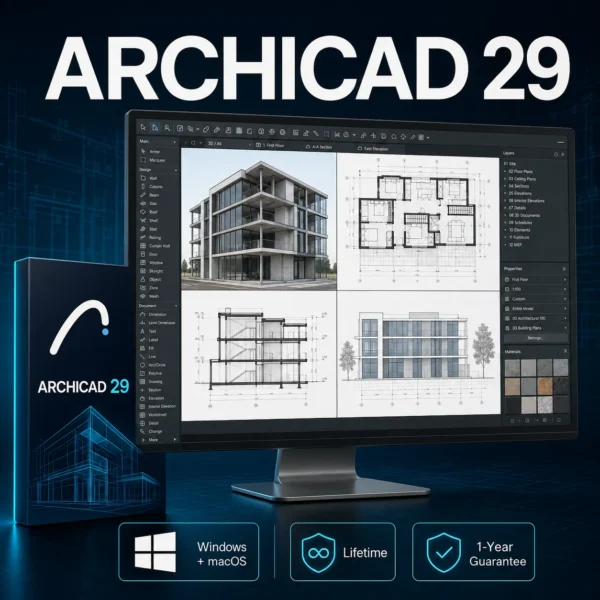
Graphisoft Archicad 29 – Lifetime | Windows & Mac
Design, visualize and document complete BIM projects with Graphisoft Archicad 29. Keep your 3D model, floor plans, sections and elevations intelligently connected.
Windows or macOS
Lifetime
Preactivated
Digital by email
Includes a 1-year guarantee and customer support
Check before buying
Compatibility
Everything you need to know
Product details
Overview and what is included
WINDOWS & macOS • LIFETIME USE
Graphisoft Archicad 29
Design, visualize and document architectural projects using an intelligent BIM workflow that keeps your 3D model, floor plans, sections and elevations connected.
✓ Lifetime Use
✓ 1-Year Guarantee
Use
Lifetime
Compatibility
Windows or macOS
Activation
Preactivated
Delivery
Digital by email
PROFESSIONAL BIM DESIGN
Design Buildings with Precision and Confidence
Archicad 29 provides architects and designers with integrated tools for 3D modelling, construction documentation, visualization and project coordination. Create the building model once and use it to generate connected floor plans, sections, elevations and schedules.
Everything You Need for a Complete BIM Workflow
From the first design concept to detailed construction documentation.
Intelligent BIM Modelling
Create detailed building models using intelligent walls, slabs, roofs, stairs, doors, windows and structural elements.
Connected Documentation
Generate floor plans, sections, elevations, schedules and layouts directly from the coordinated building model.
Automatic Updates
Changes made to the building model are automatically reflected throughout the associated project documentation.
Custom Building Elements
Create parametric profiles, custom components and detailed architectural elements for projects of different sizes.
Visualization Tools
Present design ideas using detailed 3D views, materials, lighting and built-in rendering capabilities.
OPEN BIM Collaboration
Exchange project information with other design and engineering applications using established BIM formats.
ONE COORDINATED MODEL
Model Once, Document Automatically
Archicad connects the 3D model with the project’s drawings and documentation. You can develop the architectural model while associated views remain coordinated.
This reduces repetitive work and helps maintain consistency between design changes, construction plans and presentation materials.
- Create the intelligent 3D building model
- Generate floor plans and sections
- Prepare elevations and and schedules
- Organize layouts and documentation
- Update connected views automatically
ARCHICAD 29
Improved Productivity and Documentation
Receive guidance for navigation, onboarding and time-consuming tasks.
Create clearer and more customizable project schedules.
Rotate selected elements quickly using dedicated shortcuts.
Turn supported Bluebeam annotations into actionable Archicad issues.
BIMX PRESENTATIONS
Present Projects in 2D and 3D
Export BIMx projects to communicate your design through interactive 2D drawings, 3D models and virtual walkthroughs on compatible computers, tablets and smartphones.
🏢 Interactive 3D
📱 Mobile Presentation
SIMPLE DIGITAL DELIVERY
How It Works
1
Choose Your System
Select Windows or macOS before completing your purchase.
2
Receive Your Download
Download information and installation instructions are delivered digitally by email.
3
Install and Start Designing
Follow the supplied instructions to install the appropriate version.
What You Will Receive
PURCHASE PROTECTION
1-Year Guarantee
Your purchase includes a one-year guarantee. If you experience an eligible installation or activation issue, contact Softiyex support with your order number.
System Requirements
Windows
- Windows 11, 64-bit
- Intel or AMD x64 multicore processor
- 8 GB RAM minimum; 16 GB or more recommended
- DirectX 11-compatible graphics card
- NVMe SSD with at least 5 GB available
- 1920 × 1080 resolution recommended
macOS
- macOS 14 Sonoma, macOS 15 Sequoia or macOS 26 Tahoe
- Apple M1 or newer recommended
- 8 GB RAM minimum; 16 GB or more recommended
- NVMe SSD with at least 5 GB available
- 1920 × 1080 resolution recommended
Larger and more complex BIM projects require additional memory, processor performance and graphics capability. Check compatibility before purchasing.
Why Buy from Softiyex?
Fast Digital Delivery
Secure Checkout
1-Year Guarantee
Customer Support
Frequently Asked Questions
Important information before purchasing.
Is this Archicad 29?
Yes. This listing is for Graphisoft Archicad 29.
Can I use it on Windows and macOS?
The product is available for Windows and macOS. Select the required operating system before purchasing.
Is the software preactivated?
Yes. The supplied software is preactivated and includes the applicable installation instructions.
Is this a lifetime purchase?
Yes. It is a one-time purchase for lifetime use of the supplied Archicad 29 version. Future major versions are not included.
Does one purchase include both operating systems?
No. Select either the Windows or macOS version before ordering unless your order explicitly states otherwise.
How will I receive the product?
Download information and installation instructions are delivered digitally to the email address used with your order.
Will I receive a physical package?
No. This is a digital product. No physical disc, card or package will be shipped.
What should I do if I need assistance?
Contact support@softiyex.com with your order number. Your purchase includes a one-year guarantee for eligible issues.
Graphisoft and Archicad are trademarks of their respective owner. Product names are used only to identify the software supplied.
Technical details and options
| Operating System | Windows, macOS |
|---|
Delivery, activation and support
Your order information and the available installation guidance are sent digitally to the email used at checkout. If you need help choosing or installing the correct version, contact Softiyex support.
Simple and clear
How it works
Choose your version
Select the option that matches your device.
Complete checkout
Place your order using the available secure payment method.
Receive your email
We send the digital order information and guidance.
Install with support
Follow the steps or ask our team for help.
Before you order
Frequently asked questions
How will I receive my order?
The order information and guidance are delivered digitally to the email address used at checkout.
Which version should I choose?
Choose the option that matches your operating system and device. Contact support before ordering if you are unsure.
Can you help me with installation?
Yes. Contact Softiyex support if you need guidance during installation or activation.
Where can I check the exact product terms?
The exact version, compatibility and purchase conditions are shown on this product page and during checkout.
Still have a question?
Reviews
There are no reviews yet.